
GOOGLE TRANSLATE
Ready out of the box
Built-in Google Translate needs no API key. Open an article and start reading.
INTERLINE · OPEN-SOURCE BILINGUAL READING
Translations that follow your reading. Words that travel further.
From an article to a reply, stay on the page you’re already on.
Free & open source · No account · Chrome 116+
Explore Interline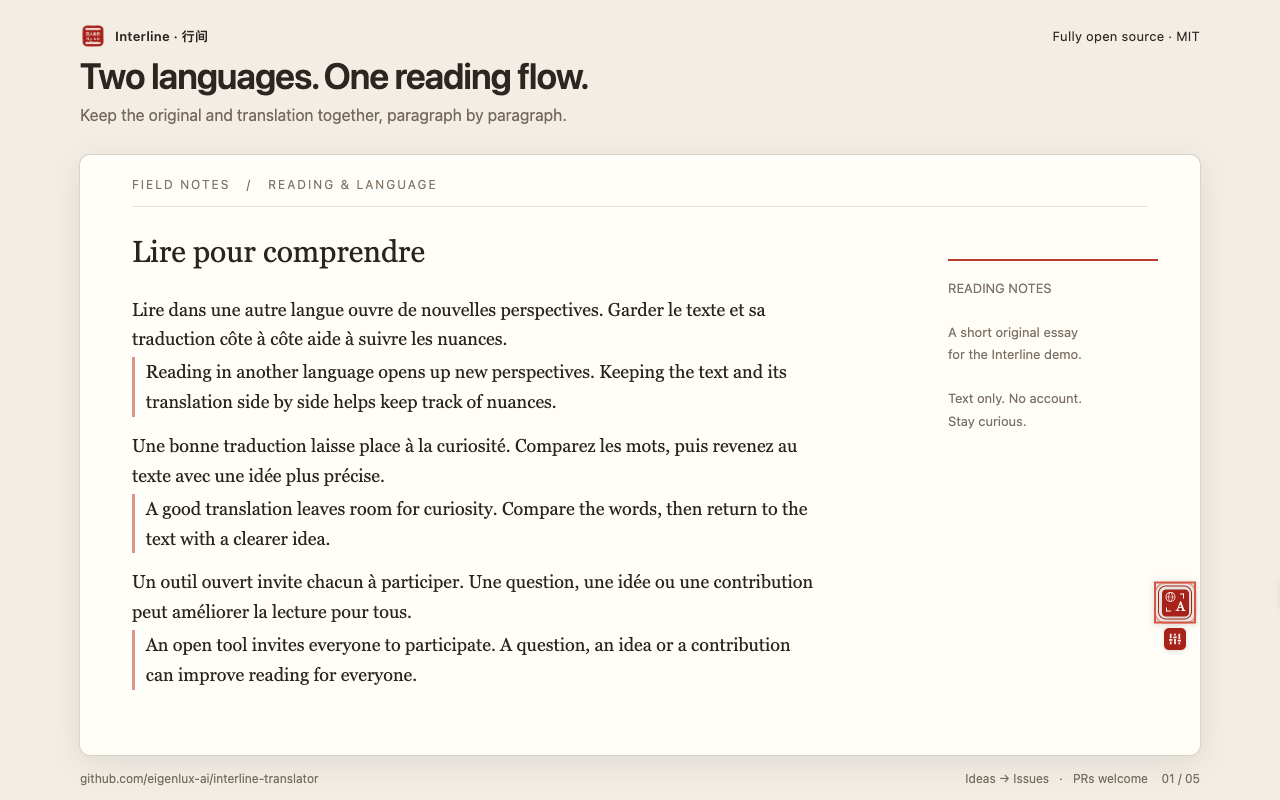
01 / READ · UNDERSTAND · REPLY
Follow your curiosity, from reading a page to writing a reply.
Read the original and translation side by side, paragraph by paragraph. Switch between bilingual, translation-only, and original-only views.
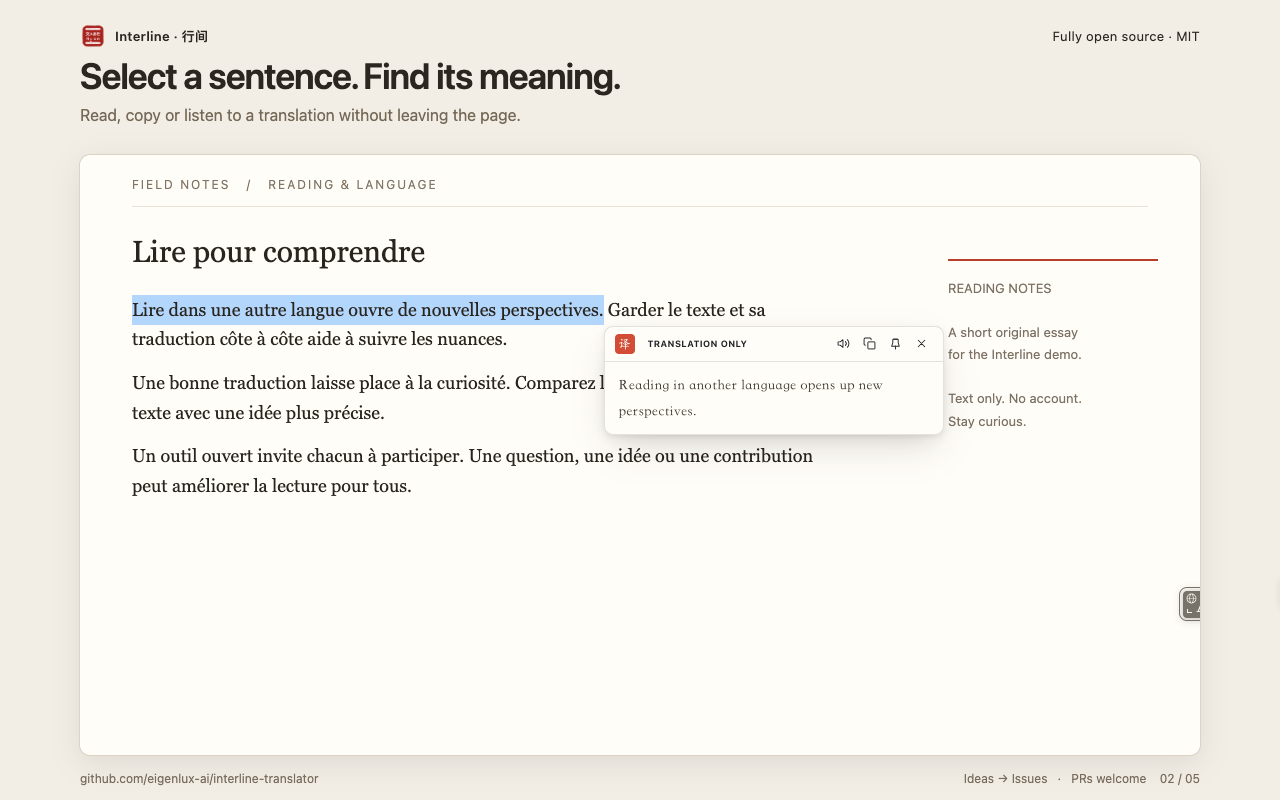
Select text to read, copy, or listen to a translation. Supported AI engines can also provide vocabulary notes.
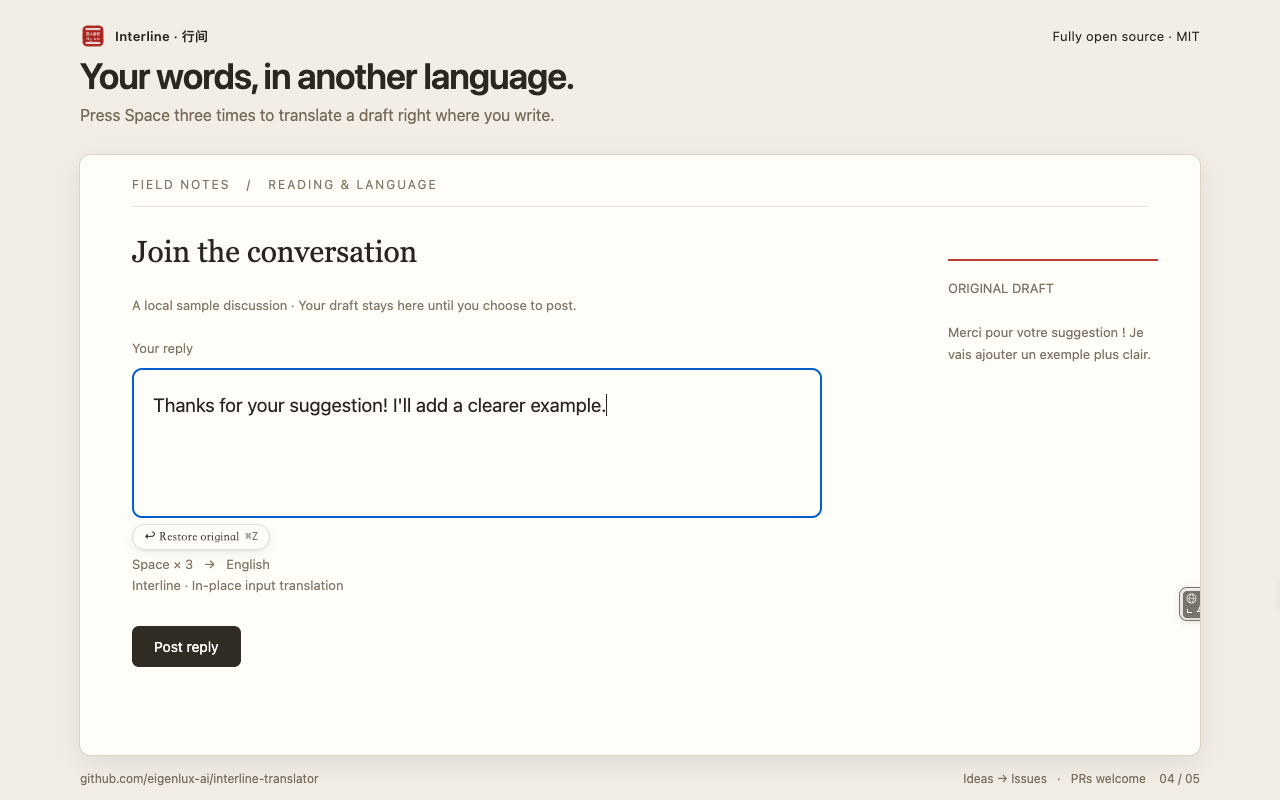
Write a draft, then press Space three times to translate it in place. Set separate reading and writing languages, with a temporary undo option.
02 / YOUR CHOICE
Start with the built-in engine. Connect your own AI service when you want more control.
View source03 / OPEN & TRANSPARENT
Inspect the source, build it yourself, adapt it, or contribute an improvement.
No behavioral analytics or telemetry. Settings and API keys stay in your local browser storage.
No Interline translation relay server. Text goes directly to the translation provider you choose.
BEFORE YOU BEGIN
Interline’s code is free under the MIT license. Built-in Google Translate needs no API key. If you connect an AI service, your provider may charge for API usage.
Install from the Chrome Web Store, open an article, then use the floating translation control, right-click menu, or Alt+T. Click Interline in your browser toolbar to choose your reading language and engine.
Interline supports Chrome 116 and later. Restricted pages such as chrome:// cannot use in-page translation. Site layouts and editors vary, so compatibility is not guaranteed everywhere. Please report issues on GitHub.
Translation requests go directly from your browser to your chosen provider, including Google for the built-in engine. AI features may include the page title, nearby text, and glossary entries as context. Enabling whole-page context also sends the first 8,000 characters of page text. Providers have their own data policies; see the privacy policy for details.
Yes. Choose from three reading views, 10 translation styles, and light or dark appearance. You can also set automatic translation rules per site and export or import settings. Exported settings JSON includes API keys, so keep it private.
INTERLINE · 行间
Install Interline. Open the page you’ve been meaning to read.
Free & open source · No account · Chrome 116+